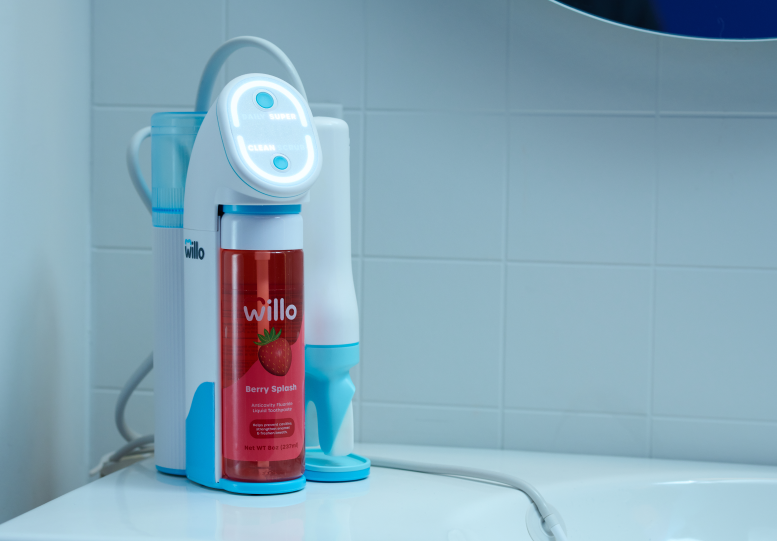

How to Brush with AutoFlo+
Watch video or read below for detailed instructions.
1. Choose your brushing settings
- Press the top display button to toggle between Brush Timer Modes
- Daily = 2 minutes
- Super = 25% longer
- Press the bottom display display button to toggle between Brush Strength Modes
- Clean = everyday clean
- Scrub = deep clean that's gentle on gums
We recommend starting on Daily + Clean for your first brushing

2. Wet the bristles and shake off excess water into the sink.

3. Insert OptiClean brush head. Seal your lips over the lip rest and gently bite down. Position bristles against your teeth and gums and hold handle up and parallel to the ground. Most mistakes happen here — check out our brushing tips for help.

4. Press the handle button to start brushing. If you need to pause while brushing, press the handle button once. Press it again within 30 seconds to continue brushing.

5. The display will show brushing progress. Once the top arch is full, the cycle is complete. The device will chime, stop brushing and indicate FLIP to switch to remaining teeth.

See spots of blood on your brush head?
Don’t be alarmed. Bleeding can be an indicator of existing gum inflammation. This should resolve in 7-10 days of using Willo. If you have questions or concerns, talk to your dental professional.
Following these instructions helps ensure you get the most comfortable and effective brush. View full user manual. If you have any questions, please contact our support team for help. 