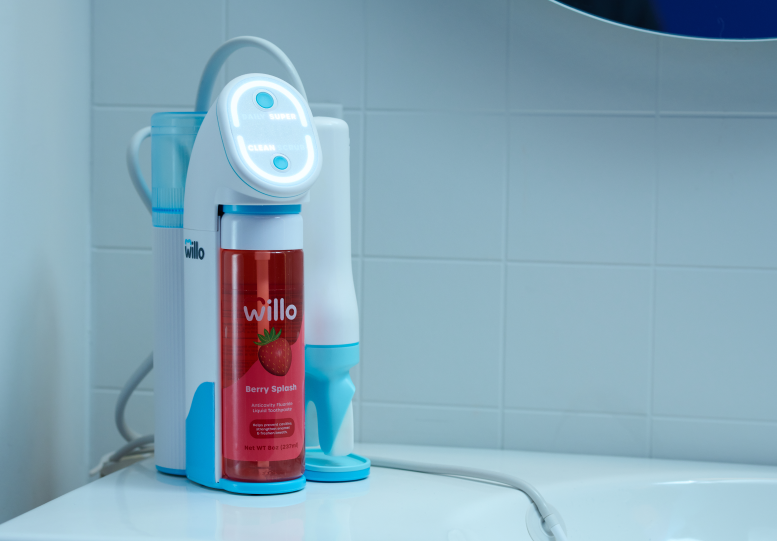

How to Clean AutoFlo+
Weekly Checklist
Every Two Weeks Checklist
- Run AutoClean Cycle (view video)
See below or review our User Manual for detailed instructions
Once a week: Clean your brush head and handle using a dental appliance cleaning tablet or 3% hydrogen peroxide. If using a cleaning tablet, dissolve in warm water to create a cleaning solution. We recommend using Efferdent or Polident tablets (links provided for convenience).
1. Soak brush head: Fill a container with 3% hydrogen peroxide or tablet cleaning solution. Submerge and soak the brush head and lip rest for 15 minutes.

2. Soak Handle: Fill the handle’s top chamber with 3% hydrogen peroxide or tablet cleaning solution. Secure the handle cap and set upright in a cup to prevent spills. Soak for 15 minutes.

3. Rinse: Rinse everything under running water. Use a cotton swab to clean any remaining residue, then dry with a clean cloth.

Once every two weeks: Run an AutoClean cycle to deep clean the inside of your Willo.
1. Pour 3% hydrogen peroxide into the cleaning bottle above the minimum fill line. Insert the cleaning bottle into the bottle slot and snap into place. Hydrogen peroxide is a safe, non-toxic and tasteless. Each cleaning cycle uses a small amount of hydrogen peroxide. If you fill your bottle to the top, it will last you several months.

2. Remove the water tank and any remaining water, then fill it with 3% hydrogen peroxide up to the 40ml fill line. Reinstall the water tank.

3. Remove the OptiClean brush head and lip rest from the handle and install the cleaning plug. The Willo logo will be on the same side as the handle button. Place the handle on the hook.

4. Position the drain hose in the sink.

5. Press and hold the top display button for 3 seconds to enter cleaning mode. The display will turn purple. When ready, press the button again to start cleaning cycle. Make sure the bottle and tank are in place!
- Note: You will not be able to exit the cleaning cycle once it begins.

6. After 15 minutes, Willo will chime and the display will turn blue. Now it's time to rinse. During this time the hydrogen peroxide will soak in the tubes to eliminate germs and build up.

7. Remove the water tank, rinse, and refill with fresh water to the top fill line.

8. Remove only the cleaning bottle. Reinstall the liquid toothpaste bottle until it snaps into place. Do not remove the cleaning plug from the handle.

9. Press the top display button to start the final rinse and prime. After 40 seconds, Willo will chime and your toothpaste is ready to go.

10. Remove, dry, and store the cleaning plug. Reinstall the lip rest and OptiClean brush head. Your Willo is now clean and ready to use.

WARNING: DO NOT use scented soaps, dishwasher soap, alcohol, hand sanitizer, premoistened wipes, or any other harsh chemicals, as they may damage your device and cause irritation. DO NOT put the OptiClean brush head in the dishwasher.
Following these instructions helps ensure your Willo stays covered under warranty. If you have any questions, please contact our support team for help.
View all AutoFlo+ How to Guides